


PlatoVPN: Super VPN Fast Proxy
4.5392.00 Reviews
App Specs
- Version
- 1.4.7
- Updated On
- License
- Free
- Downloads
- 5,000,000+
- Developer
- Plato Master: Super Fast Global Network
- Categories
- Productivity
- Platform
- Android, iOS
Screenshots
 Analysis by AppCompare
I think a VPN is most useful when it solves a specific, recurring problem rather than becoming another button I tap without thinking. I’d consider PlatoVPN: Super VPN Fast Proxy when I need a VPN connection for an everyday task, such as checking a site on public Wi-Fi or trying to reach a page that isn’t available where I am. It’s a free productivity app from Plato Master: Super Fast Global Network, and its straightforward premise suits people who want a quick way to route their connection without first learning a lot of networking terminology.
Start with a clear reason to connect
Before turning on a VPN, I find it helps to ask what I need it to do. If I’m using a café’s Wi-Fi to check work messages, a VPN can be one layer in a more careful routine. If I’m troubleshooting a website, connecting through a VPN may help me see whether the issue is related to my usual connection or location. Those are practical reasons to try the app; they’re different from treating a VPN as a guarantee of complete anonymity or as a fix for every security concern.
That distinction matters because a VPN changes how your internet traffic is routed, but it doesn’t make every online activity private by itself. I’d still use unique passwords, keep apps and the operating system updated, and avoid entering sensitive information on pages I don’t trust. A VPN is most useful as one part of a sensible digital routine, not a substitute for one.
A simple connection can support a repeatable routine
The app’s appeal is its low-friction approach: open it, connect, and get on with the task. That can help if you only need a VPN occasionally and don’t want a complicated setup to become a project of its own. For example, before joining a public network, I’d decide whether I need the VPN for the session, connect, then check that the connection is active before opening work or personal accounts. When I’m finished, I’d disconnect if I don’t need it anymore, especially if I’m diagnosing a network problem and want to compare how a page behaves with and without the VPN.
That small before-and-after check is a useful habit. If a site stops working after connecting, I wouldn’t assume the service is broken or keep changing settings at random. I’d first disconnect and retry the page, then reconnect and try again if the VPN is relevant to the task. This makes it easier to tell whether the VPN is helping, interfering, or simply unrelated to the problem.
Where it fits among VPN choices
Compared with setting up a VPN manually, an app designed around a connect button is easier for casual use. Compared with a browser-only proxy, a VPN app can be more convenient when I want a connection choice that isn’t limited to one browser tab. But I wouldn’t treat every VPN as interchangeable: people who need detailed configuration, transparent technical documentation, or a carefully assessed service for sensitive work should compare providers on those specific needs before relying on one.
The same goes for streaming and regional access. A VPN may help with some location-based access problems, but services can change how they handle VPN traffic, and access can vary. I’d treat that as a possible use rather than a promise. If uninterrupted access to a particular service is the main reason you’re installing a VPN, check whether it works for that service before building your routine around it.
Worth Reading Before You Choose

EA SPORTS FC Mobile 26 Is a Bigger Football Game, but It Takes Time

Flipboard Shows What News Apps Must Do Beyond the Feed

Switching to Android Auto Means Rethinking Your Driving Routine

Google Calendar Makes a Crowded Week Easier to Manage

Ludo King Makes the Most of the Minutes Between Plans

Baby Panda World Brings Quick Play to Modern Phones, but Its Game Library Feels Busy
Know what you are trusting
A VPN shifts part of the trust involved in browsing from the network you’re using to the VPN provider. That’s why I’m cautious about broad claims of privacy. Before using any VPN for sensitive activity, I’d look for clear explanations of how the service handles traffic and account information, and I’d consider whether the provider meets my needs. A connection indicator can tell me that I’m connected; it can’t, on its own, answer every question about privacy practices.
There’s also a practical trade-off: routing traffic through another service can affect how some sites or apps behave. If a banking app, work tool, or login page becomes fussy, I’d test it without the VPN rather than repeatedly attempting the same sign-in. For time-sensitive work, I’d keep a reliable alternative connection available. That’s a simple way to avoid turning a useful privacy step into an unexpected obstacle.
Who is likely to find it useful
I’d point casual users toward this kind of app if they want a simple starting point for occasional VPN use and are comfortable making their own judgement about when it is appropriate. It may suit someone who travels, uses shared Wi-Fi, or wants to test whether a location-related issue changes when their connection is routed differently. The key benefit for that audience is convenience, not a promise that every site will open or that every online risk disappears.
I’d suggest looking elsewhere if your work requires specialized network settings, if you need a VPN whose privacy practices you have evaluated in detail, or if your organization provides its own approved service. In those situations, a workplace VPN or a provider chosen for explicit technical and policy requirements is a better fit than choosing an app just because it is easy to start.
It’s free to download, with in-app purchases listed from $6.99 to $39.99 per item, so I’d check the purchase screen carefully before choosing anything paid. The app is rated for Everyone, has a 4.5 average from around 52,000 ratings, and has been installed over 5 million times. Those figures can offer a sense of how widely it is used, but they don’t tell me whether its approach suits a particular person’s privacy or work needs.
For a new user, I’d begin with one low-stakes task: connect before browsing on a network you don’t control, confirm that the app shows an active connection, and see whether the sites you need still behave normally. Don’t use that first test to enter unusually sensitive information or to assume that a VPN has made you untraceable. If the connection gets in the way, disconnect and carry on with a trusted network or another suitable option.
That kind of small trial also helps answer the practical question of whether you need a paid option. I’d use the free version for the ordinary tasks it handles comfortably, then consider a purchase only if I can identify a specific limitation that affects my regular routine. The available version is 1.4.7, and the app requires Android 7.0 or later. I’d check compatibility on my device and review the purchase terms in the app rather than assume that every feature or plan is included at no cost.
One useful tip is to avoid leaving a VPN connected just out of habit when you’re trying to diagnose a slow connection. A VPN adds another route between you and a website, so if a page loads poorly, comparing the same task with the VPN off can narrow down the cause. Another is to make a short note of the situation when something fails—such as the network you’re using and whether the VPN is active—so you can repeat a quick test instead of guessing. These checks won’t fix every problem, but they make the app easier to use deliberately.
My overall view is that this is best approached as a convenient tool for selected moments, not as a set-and-forget shield. If that matches what you want, PlatoVPN: Super VPN Fast Proxy offers an approachable way to try a VPN workflow without an upfront download cost. I’d use it with sensible security habits, verify that it suits the websites and apps I depend on, and choose a more specialized alternative when my privacy, configuration, or reliability needs demand more than a simple connection.
Getting Started with PlatoVPN
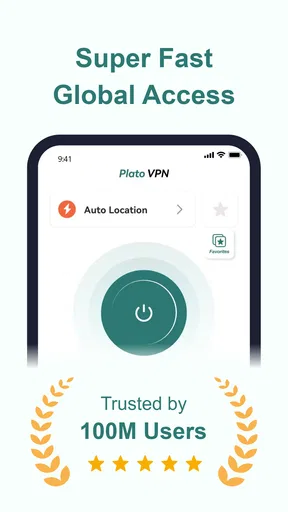
First off, downloading PlatoVPN is a breeze. Available for both Android and iOS, it took me just a couple of taps and a few seconds to get it up and running. The interface? Super slick and intuitive. You’re not gonna need a degree in computer science to navigate through this app. The moment you open it, you’re greeted with a simple connect button. Hit that, and boom, you’re connected to a virtual private network.
Why PlatoVPN Stands Out
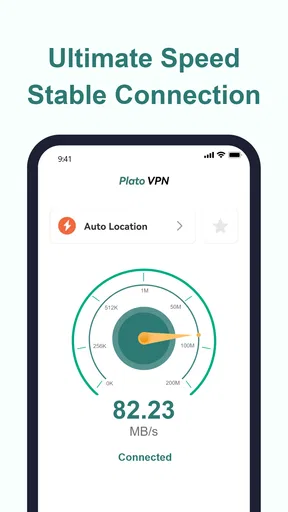
So, what makes PlatoVPN different from the gazillion other VPN apps out there? For starters, it’s fast. Like, really fast. I’ve tried a bunch of VPNs that slow down my internet to a crawl, but with PlatoVPN, the speed drop was barely noticeable. Streaming videos, downloading files, or just browsing, everything was as smooth as butter.
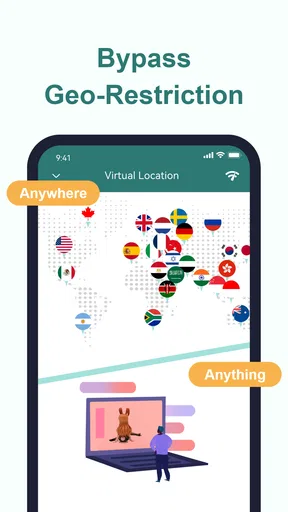
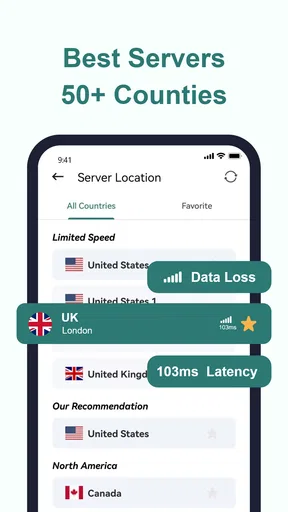
Another thing I love is the range of servers available. You can choose from a plethora of countries. Want to pretend you’re browsing from Japan while sitting in your living room in Ohio? No problem. Just select the server, and you’re good to go. This makes it perfect for accessing region-locked content like Netflix shows or sports events.
Security and Privacy
Now, onto the important stuff. How safe is PlatoVPN? Pretty darn secure. It uses top-notch encryption to keep your data safe from prying eyes. Whether you’re on public Wi-Fi or your home network, you can rest easy knowing your information is well-guarded. Plus, they have a strict no-logs policy, which means they don’t keep track of your online activities. Privacy? Check.
Free vs. Premium
One of the sweet deals with PlatoVPN is that it’s free to use. Yes, free! But, if you’re looking for some extra features, there’s a premium version available. The free version gives you access to a decent number of servers and good speed, but the premium version takes it up a notch. You get more server options, faster speeds, and no ads. Totally worth it if you’re a heavy user.
User Experience
Let’s talk about the overall user experience. Navigating through the app is simple and straightforward. The design is minimalistic yet functional. I didn’t encounter any annoying pop-ups or confusing menus. Plus, there’s a handy help section in case you get stuck somewhere. They’ve really nailed it on making the app user-friendly.
Final Thoughts
All in all, PlatoVPN is a solid choice for anyone looking to enhance their online privacy and access restricted content. It’s fast, reliable, and incredibly easy to use. Whether you’re a casual browser or someone who needs a VPN for work or travel, this app won’t disappoint. So, go ahead and give it a try. You might just find it becomes your go-to app for secure browsing.
Pros
- Fast connection speeds enhance browsing.
- User-friendly interface for easy navigation.
- Multiple server locations for global access.
- Free version available with essential features.
- No registration required for quick setup.
Cons
- Limited features in the free version.
- Occasional ads can interrupt usage.
- Not all servers support streaming.
- Connection drops in crowded servers.
- No live customer support available.
FAQs for PlatoVPN: Super VPN Fast Proxy
What platforms is PlatoVPN: Super VPN Fast Proxy available on?
PlatoVPN: Super VPN Fast Proxy is available for both Android and iOS devices. Users can download it from the Google Play Store for Android devices and the Apple App Store for iOS devices. This makes it accessible to a wide range of smartphone users seeking enhanced privacy and security.
How does PlatoVPN ensure user privacy and security?
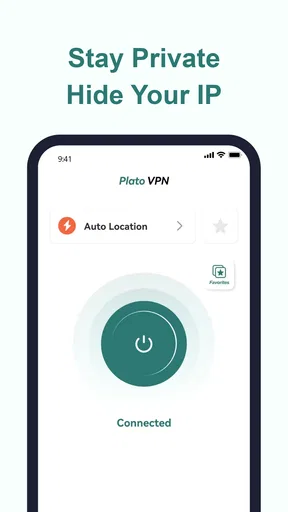
PlatoVPN utilizes advanced encryption protocols to safeguard your data. It hides your IP address and encrypts your internet traffic, making it nearly impossible for third parties to track your online activities. This ensures a secure browsing experience, protecting you from hackers and surveillance.
Is PlatoVPN free to use, or are there paid features?
PlatoVPN offers both free and paid plans. The free version provides basic VPN services, while the premium version unlocks additional features like faster speeds, more server locations, and priority customer support. Users can choose based on their needs and budget, ensuring flexibility and affordability.
Can I use PlatoVPN to access geo-restricted content?
Yes, PlatoVPN allows you to bypass geo-restrictions, enabling access to content from different regions. By connecting to servers in various countries, you can enjoy streaming services, websites, and apps that may be unavailable in your location, providing a wider range of content options.
Does using PlatoVPN affect internet speed?
While using any VPN can slightly reduce internet speed due to encryption and server distance, PlatoVPN is optimized for speed. The app is designed to minimize lag and maintain a high-speed connection, allowing users to stream and browse with minimal disruption.


